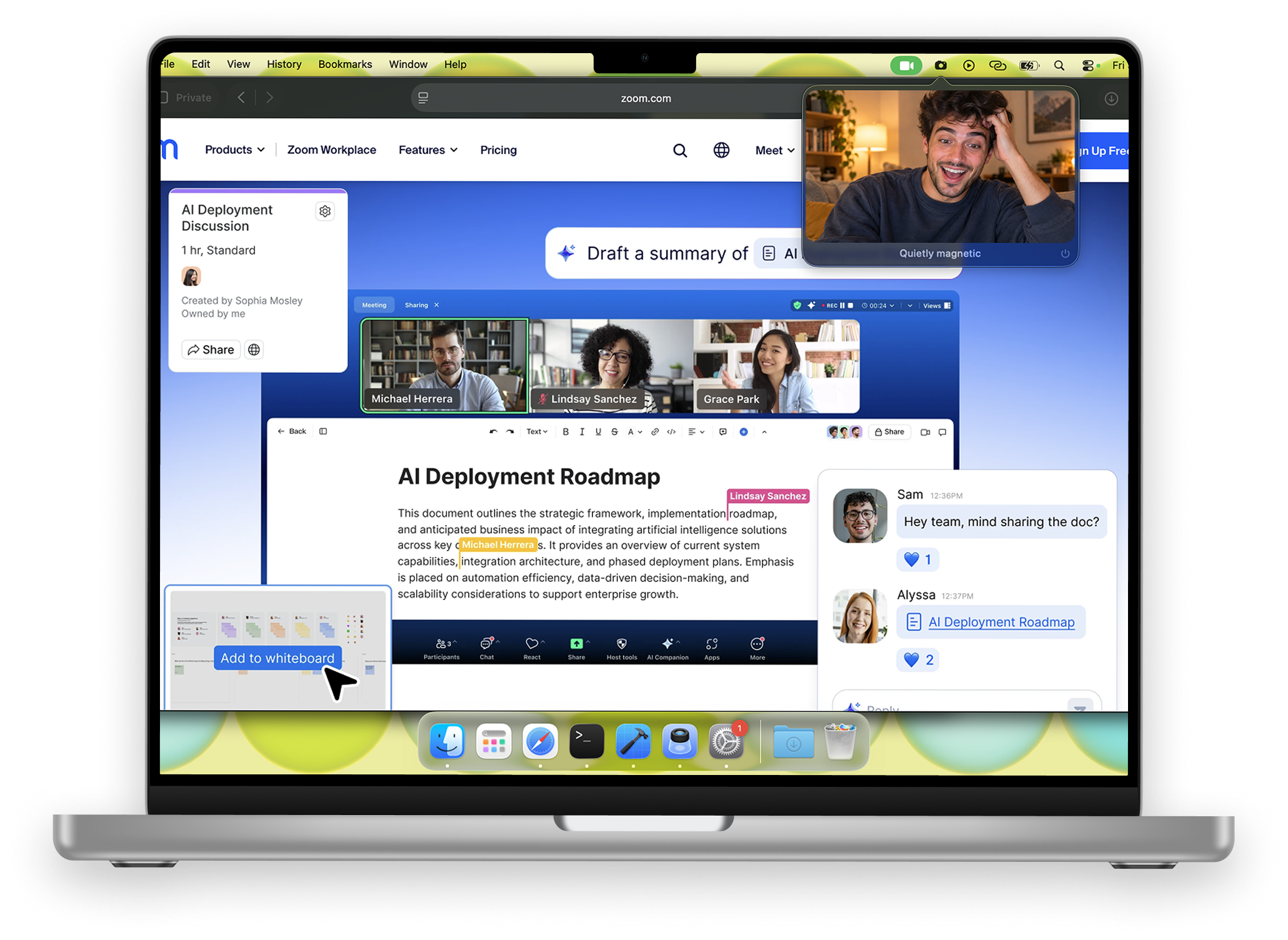
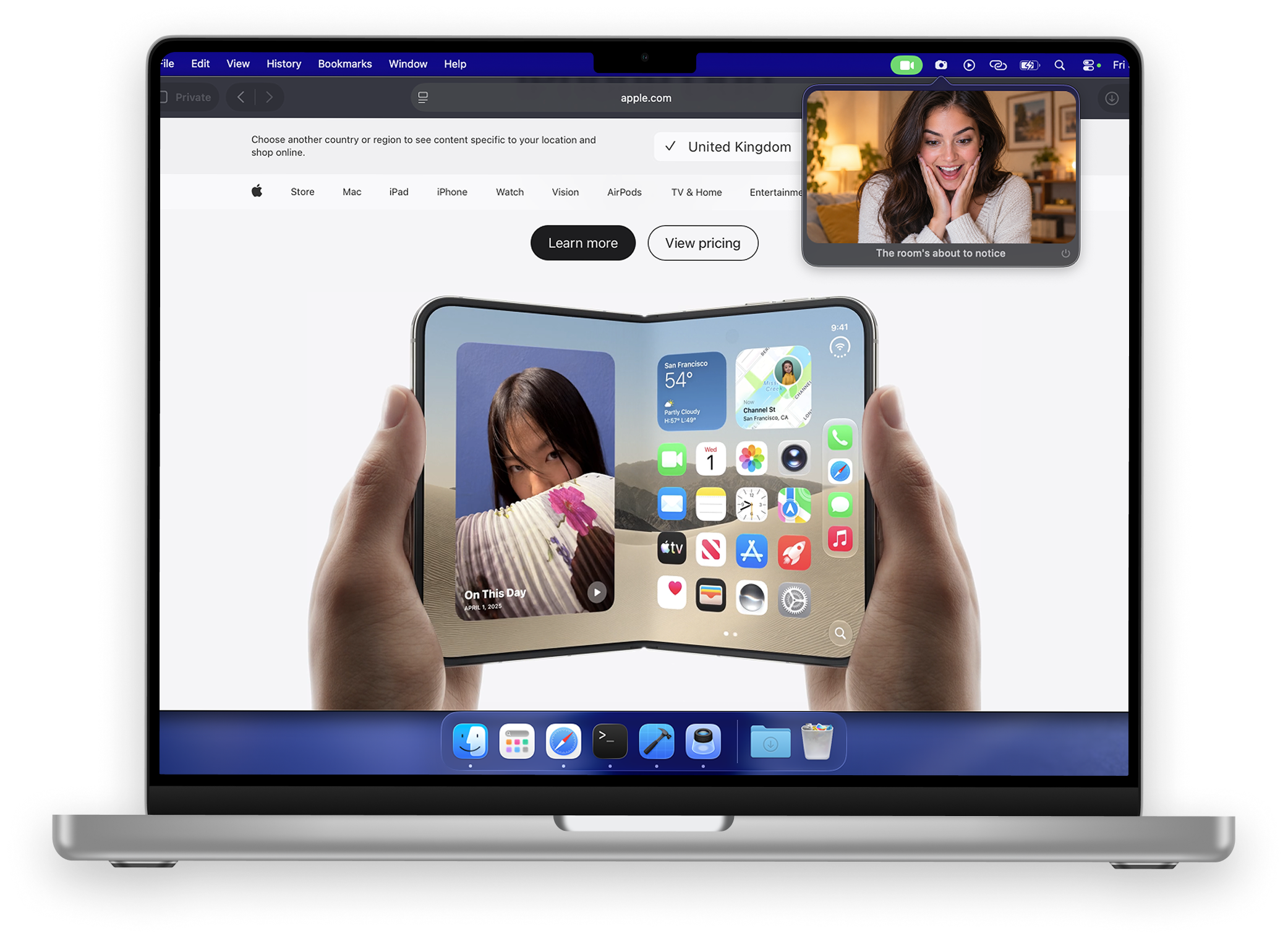
One click in the menu bar gives you a live mirror and a small compliment. Click away and the camera shuts off — green light and all.
It does one thing. It does it in under a second.
Click the menu bar icon, see yourself. No Photo Booth detour, no window to find.
153 of them, shuffled so you never get the same one twice in a row. Turn them off if you must.
The session stops the moment the popover closes. Watch the green light go out.
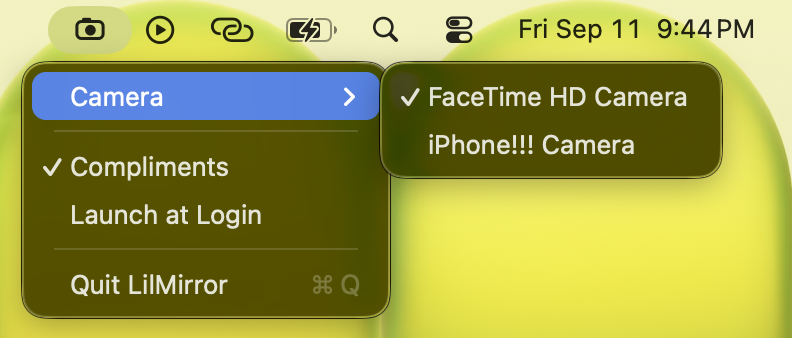
Built-in, USB webcam, or your iPhone over Continuity Camera. Plug one in and it shows up.
Raise your right hand, it goes up on the right. It's a mirror, not a monitor.
No Dock icon, no window, no notifications. Launch at login and forget it's there.
Three steps, about fifteen seconds.
Get it from the Mac App Store and open it. The icon appears in your menu bar — there's no window and no Dock icon by design. macOS asks for camera access the first time you click, never at launch.
The mirror opens under the icon with a fresh compliment underneath. Fix the hair, check the lighting, then click anywhere else or hit Esc. The camera stops immediately.
Right-click the icon, or use the gear inside the mirror: pick a camera, switch compliments off, launch at login, quit. That's the whole settings menu.
The short version of the privacy policy.
Frames go from the camera to the screen and nowhere else. Nothing is written to disk, not even temporarily.
The app ships without the network entitlement. It couldn't phone home if it wanted to.
Nothing to sign up for. Nothing to log in to. No email needed, ever.
App Store privacy label reads Data Not Collected, because that's exactly what happens.
One dollar. That's the whole pricing page.
macOS 13+ · Apple silicon & Intel
Priced in your local App Store currency.
No. The preview is live video on its way to your screen and nothing more. There's no snapshot button, no save-to-disk path, and no network entitlement in the app at all.
It can't. The capture session starts when the mirror opens and is torn down when it closes. The green light next to your camera is the honest indicator — watch it go out.
Yes. Built-in cameras, USB webcams, and iPhone via Continuity Camera all show up in the picker, and the list updates as you plug things in or wake your phone.
Because a dollar covers the developer account and keeps the app free of ads, upsells, and a "Pro" tier that unlocks the parts you actually wanted. You pay once and get everything, including whatever gets added later.
You can, in the menu. The mirror works fine on its own. But they're the reason the app exists, so give them a week first.
LilMirror is a small independent app from LilStudio. It works alongside any video call app — it doesn't connect to, plug into, or require any of them.