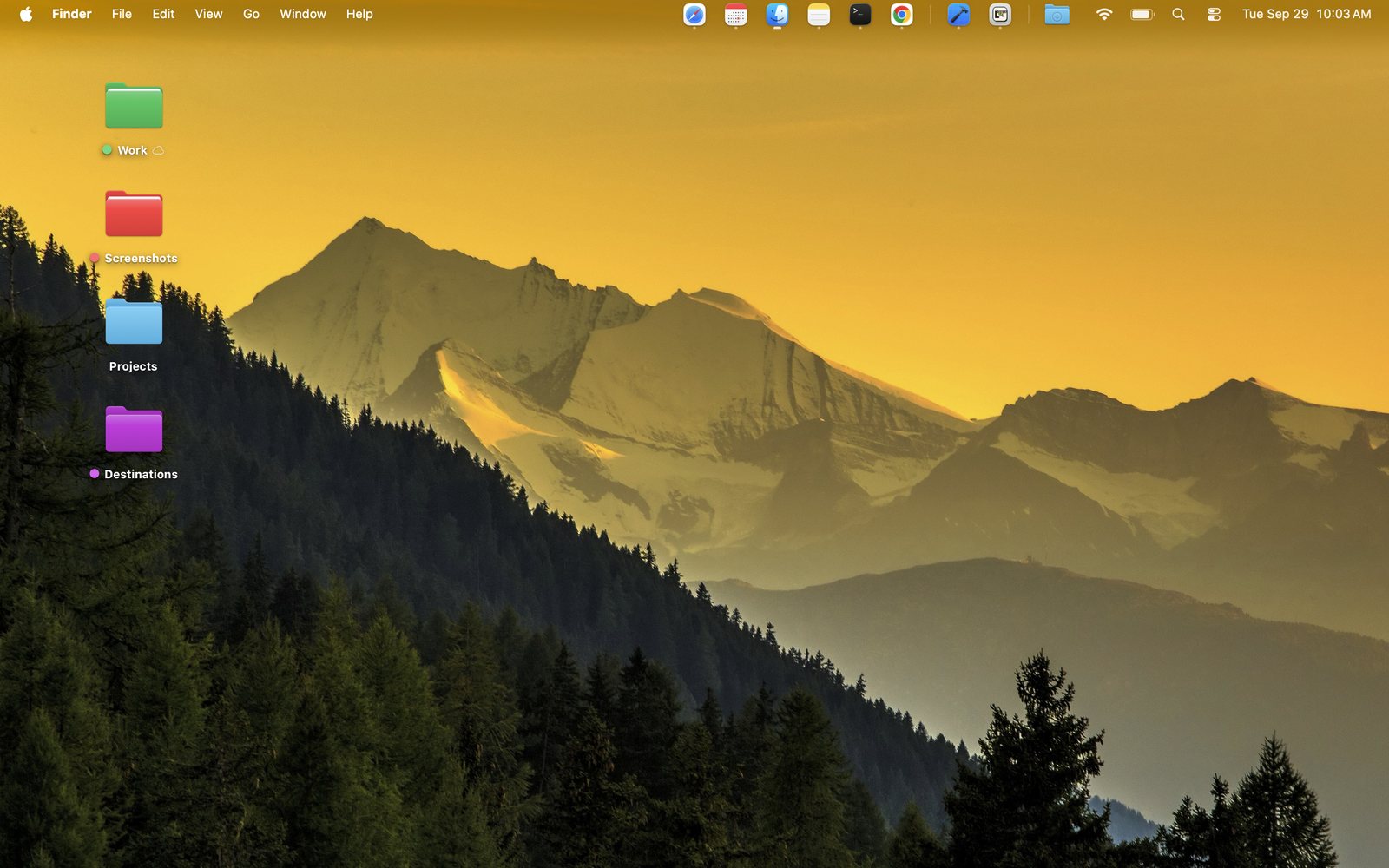
LilDock puts the apps you use most, and your Downloads, in the Mac menu bar next to Wi-Fi and battery. Hide the macOS Dock and your windows get the whole screen, top to bottom.
The strip, up close. And no Dock at the bottom.
Move your pointer along the strip. Click an app to open it, or the folder for your recent downloads.
And the real one, straight off a real Mac
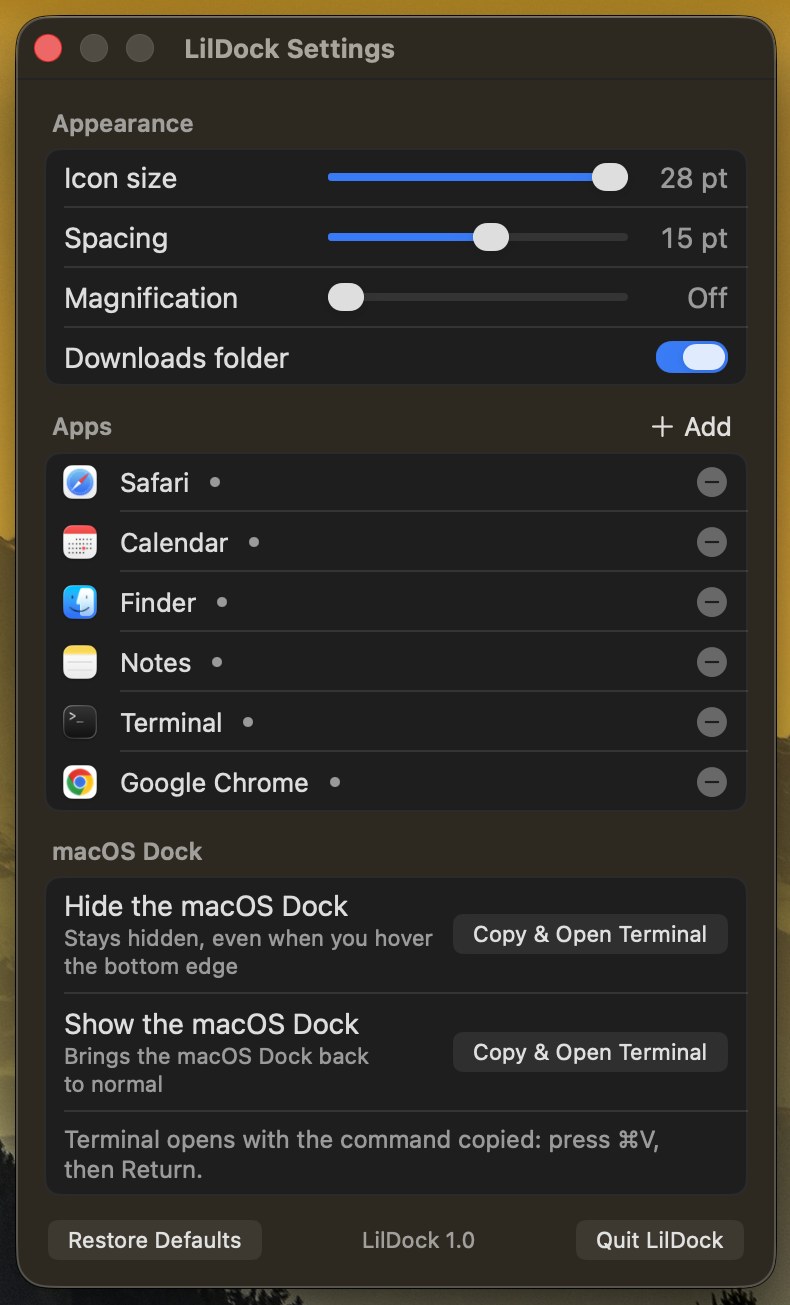
Pin the apps you want, in the order you want. Click to open, or to bring it forward if it's already running.
Icons swell as the pointer passes over them, just like the real Dock. Turn it up, down or off.
Your twelve newest downloads, newest first, with their icons. One more item opens the whole folder.
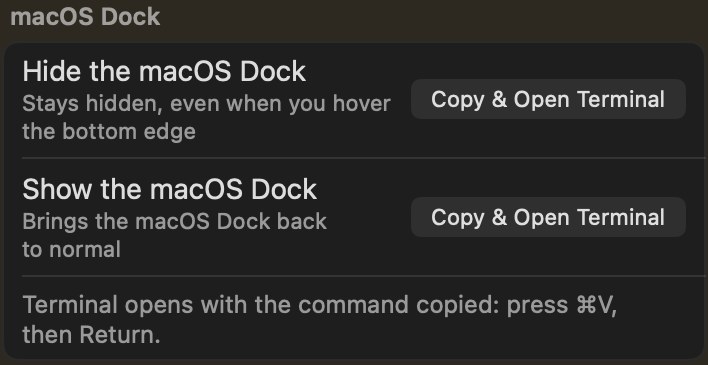
Settings copies the command and opens Terminal. Paste, press Return, and the Dock stays away, even at the bottom edge. Bringing it back works the same way.
A small dot sits under every app that's open, updated the moment an app launches or quits.
Icon size, spacing and magnification are live sliders. The strip resizes as you drag, and never grows taller than your menu bar.
Two minutes of setup, then it's just there.
Right-click the strip and choose Settings. Add apps from your Applications folder or from what's open right now, and drag to reorder.
Click Copy & Open Terminal, then paste and press Return. Change your mind later with the button right under it.
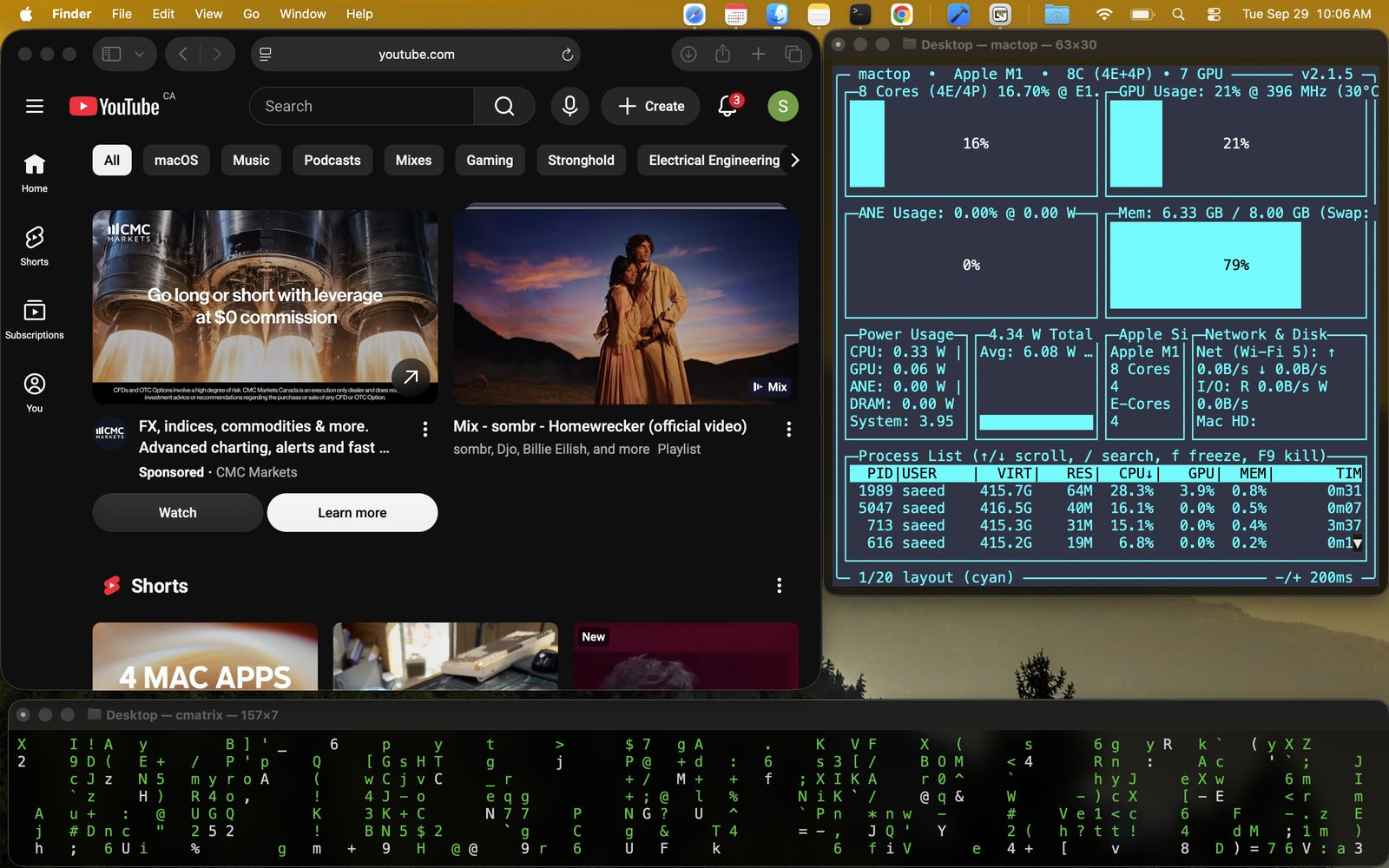
Windows run all the way to the bottom of the screen, and your apps are a short flick up, next to the clock.
Less than a coffee. Keep it forever.
macOS 14+ · Apple silicon & Intel
Priced in your local App Store currency.
No. macOS puts menu bar items like LilDock on the right, with Wi-Fi and the clock. Hold ⌘ and drag the strip to move it among the other icons there; it remembers where you left it.
LilDock is sandboxed for the App Store, so it isn't allowed to change another app's settings, the Dock included. It copies the one-line command for you instead, and the Show button undoes it.
No prompts at all. It doesn't use Accessibility or Screen Recording and doesn't read other apps' settings. It can see the apps you pick and your Downloads folder, read-only, and that's it.
The icons size themselves to your menu bar's height. The space left of the notch is limited, though, and macOS hides items that don't fit, so keep the list to the apps you really reach for.
It's one small menu bar item. It never polls or runs timers; it only wakes up when an app launches or quits, or when you point at it.
LilDock is a small independent app from LilStudio. It isn't affiliated with Apple, and it doesn't replace or modify the macOS Dock.
Requests, bugs, or an app that looks off in the strip — every message is read and answered.
support@lilstudio.app