 The default
Rainy Forest
Rain on the ferns and the lake below, wind through the pines, a bird between showers and thunder a long way off.

LilVibe turns your Mac's desktop into a slow, looping nature scene and plays the sound of it underneath — a rainy forest, a café on a wet night, a campfire under the stars. Pick one from the menu bar and get back to work.
Turn the sound on for the full effect
Each one is a picture and a room's worth of sound. You pick the name; LilVibe handles the mix.
The default
Rain on the ferns and the lake below, wind through the pines, a bird between showers and thunder a long way off.

The same soft rain, closer in: a mossy clearing, a puddle full of rings, and a waterfall somewhere in the mist.
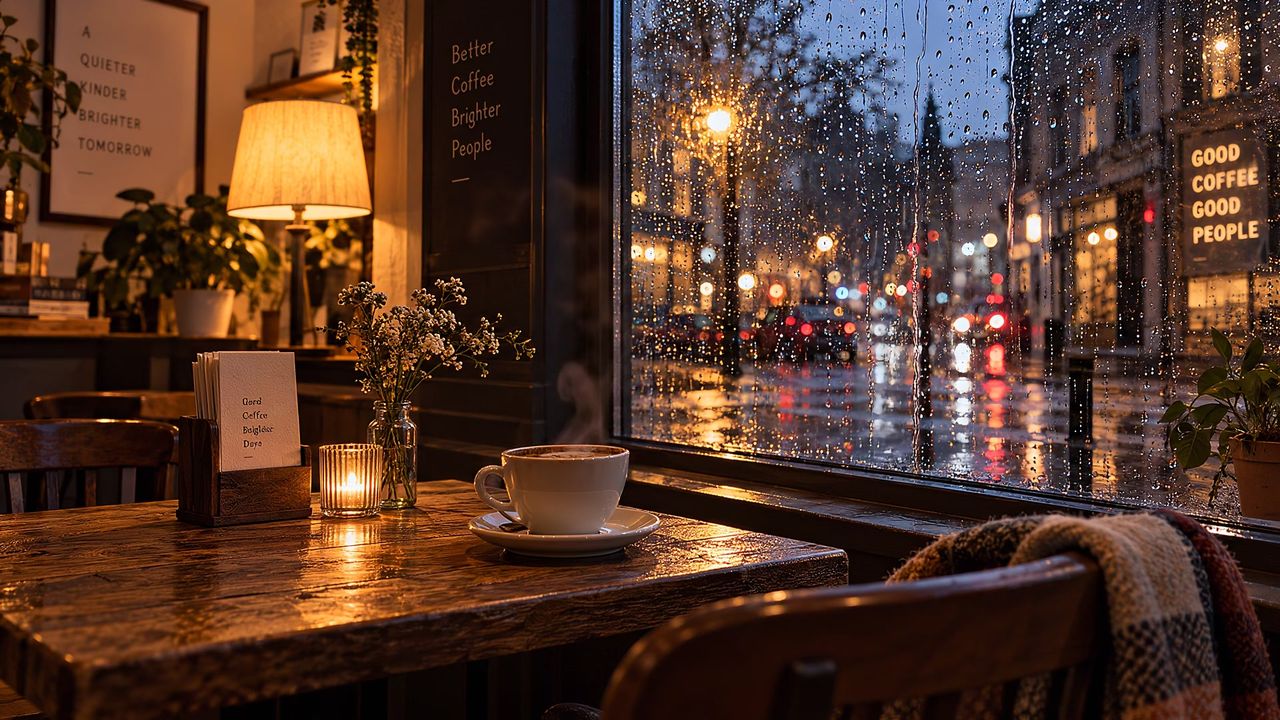
A window seat on a wet night. A room full of murmur with no words you can follow, plus the espresso machine, the grinder and a cup set down now and then.
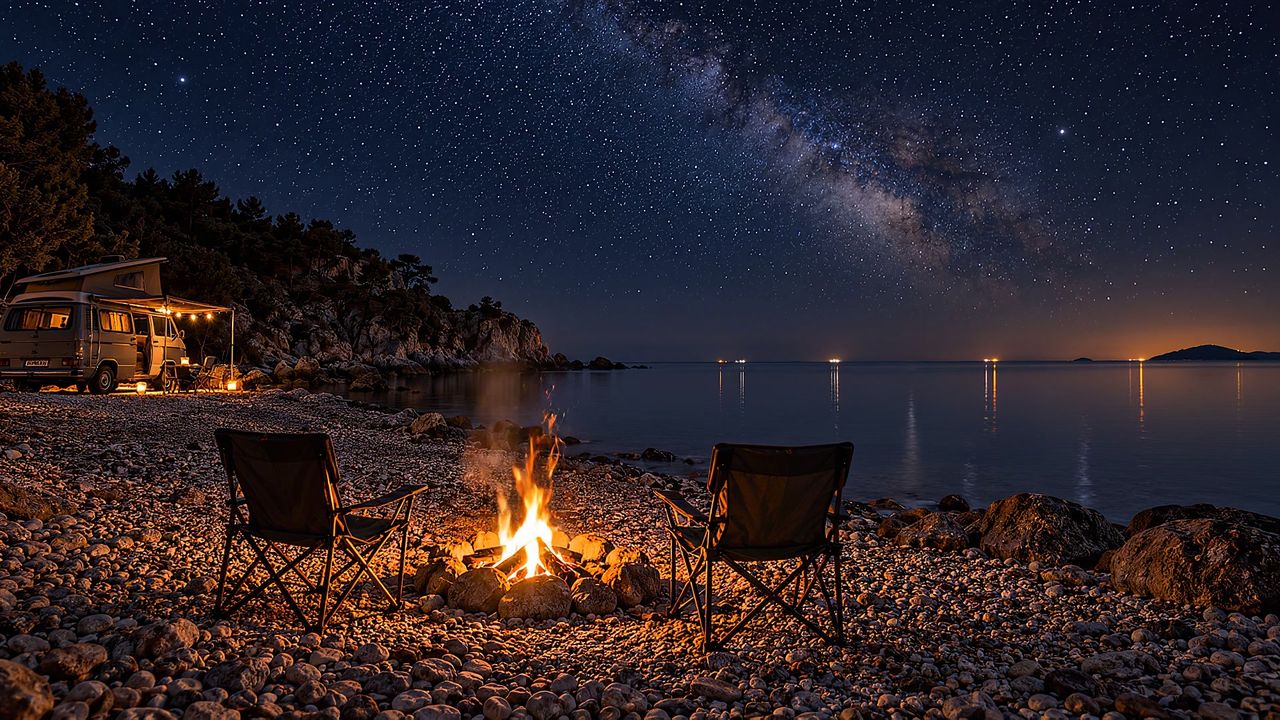
Two chairs, a calm sea and the Milky Way. A steady crackle over a low roar, the odd pop, and a log shifting as it burns down.
Pick a scene and turn the sound on. A little taste of what your desktop could look like.
The sound button plays a rough sketch made in your browser. The app plays full, layered recordings.
The scene plays behind your icons and windows, on every display and in every Space, and loops without a visible seam.
Two steady layers underneath, and small moments like a bird or a cup placed at random. It never plays back the same way twice.
Video is decoded by your Mac's media hardware, once for all screens. It pauses when a full-screen app or a window covers it, and when your Mac sleeps or locks.
Optionally sets a still of the scene as your real wallpaper, so the menu bar, Mission Control and Lock Screen match. Yours comes back when you turn it off.
Switch the video off and keep a still picture. The ambience carries on and the GPU gets a rest.
Scenes, play and pause, volume and launch at login, all in one small menu. No window to manage.
One click to start. Nothing to look after.
Click the LilVibe icon in the menu bar and choose a scene. It fades in over your desktop with its sound.

Turn it up to fill the room or down to a hush behind your music. Video on or off, your call.

Work in full screen and LilVibe pauses. Come back to the desktop and it's raining again.

Less than a coffee. Keep it forever.
macOS 14+ · Apple silicon & Intel
Priced in your local App Store currency.
It's built not to. Video runs on the Mac's dedicated media hardware and stops whenever you can't see it: behind a full-screen app, under a maximized window, on a sleeping display or a locked screen. You can also pause it on battery, or switch video off and keep only the sound.
Yes. Every connected display shows the scene, and it adjusts when you plug a screen in, unplug it, or change its resolution. The video is decoded once and shared, so a second screen costs very little.
No. All four scenes and their sounds are inside the app. Nothing is streamed or downloaded after you install it.
If you turn on wallpaper matching, LilVibe remembers your wallpaper for each display and puts it back when you turn matching off. Your own photos come back perfectly. Some of Apple's built-in wallpapers don't restore correctly because of a macOS bug; if that happens, pick yours again in System Settings → Wallpaper.
Not yet. Each scene comes with a mix tuned so nothing sticks out. Per-layer sliders are on the list for a later update.
LilVibe is a small independent app from LilStudio. It isn't affiliated with any other wallpaper or ambience app.
Requests, bugs, or a sound that bugs you — every message is read and answered.
support@lilstudio.app